
Tablet Charging Repair That Finds the Real Fault
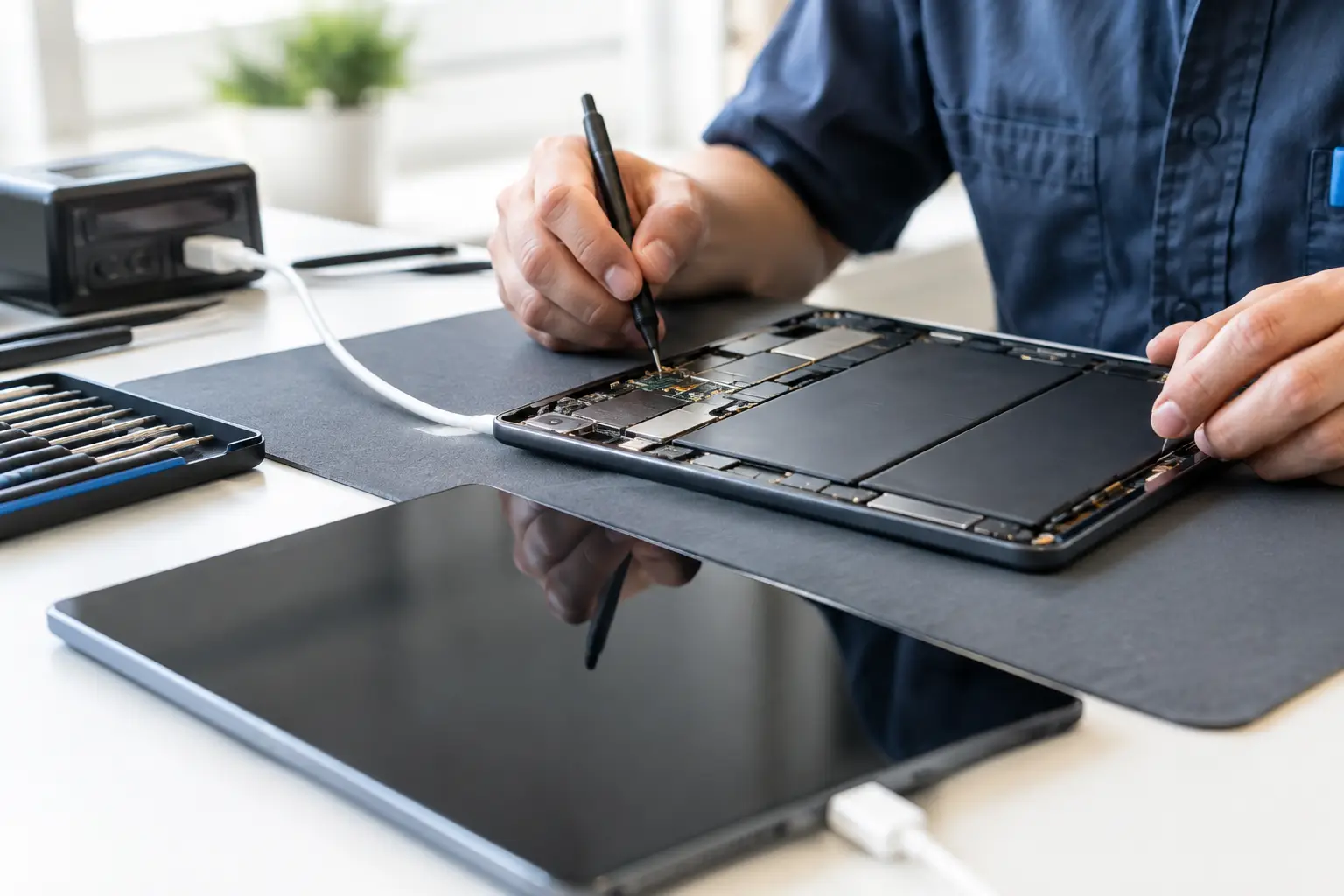
A tablet that only charges when the cable is held at a certain angle is not just inconvenient. It can turn homework, point-of-sale work, streaming, and travel into a daily problem. Proper tablet charging repair starts by finding out why power is not reaching the battery - not by automatically replacing the charging port.
Some charging issues are simple. A worn cable, blocked port, or aging battery may be the answer. Others come from damaged charging circuits, failed components on the motherboard, or liquid damage that has been slowly causing corrosion inside the device. The symptoms can look nearly identical from the outside, which is why a real diagnosis matters.
What Causes Tablet Charging Problems?
The charging port is the first thing most people suspect, and sometimes it is the problem. Repeated plugging and unplugging can wear down the internal contacts, loosen the port from the board, or damage the center pin. This is especially common on tablets used by kids, in classrooms, at job sites, or as business devices that stay plugged in most of the day.
But a port is only one part of the charging path. Your wall adapter supplies power, the cable carries it, the port receives it, the charging circuit regulates it, and the battery stores it. A fault anywhere along that path can cause slow charging, intermittent charging, overheating, or a tablet that will not power on.
A damaged cable can work well enough to show a charging symbol while delivering too little power to raise the battery percentage. Low-quality adapters can also cause trouble, particularly with USB-C tablets that require a specific power level or charging protocol. Before approving a repair, it makes sense to rule out these inexpensive external causes.
Battery condition is another factor. Lithium-ion batteries lose capacity over time, and a failing battery may charge slowly, drain fast, shut the tablet down unexpectedly, or remain stuck at the same percentage. Battery swelling requires prompt attention. If the screen is lifting, the back cover is separating, or the tablet feels unusually warm while charging, stop using it until it can be inspected.
Signs You May Need Tablet Charging Repair
A tablet does not need to be completely dead before it needs service. Intermittent problems usually get worse, and forcing a cable into a loose or dirty port can create more damage.
Common warning signs include a cable that falls out easily, charging that starts and stops, a tablet that charges only when powered off, or a device that recognizes a charger but never gains battery life. You may also see an error message about unsupported accessories, moisture, or temperature.
If the tablet was dropped, exposed to liquid, or used with a damaged charger, mention that during the evaluation. Those details help narrow the diagnosis. A tablet that quit charging days after a spill may have corrosion beneath shields or connectors even if it appeared fine at first.
Why Cleaning the Port Is Not Always a Safe Fix
Pocket lint and debris can pack tightly into a charging port and prevent the cable from seating fully. In that situation, careful professional cleaning may restore a solid connection. The key word is careful.
Metal pins inside a charging port are small and easy to bend. Digging with needles, paper clips, safety pins, or other metal objects can short contacts or tear them away from the board. Blowing into the port is not a great solution either, since moisture can enter the device. A plastic pick may sound safer, but it can still push debris deeper or damage the connector if used aggressively.
If you can clearly see loose lint near the opening, avoid forcing it deeper. Bring the tablet in for an inspection instead. A quick cleanup is better than turning a minor obstruction into a port replacement or board repair.
The Difference Between a Port Repair and a Board-Level Fault
This is where experience matters. On some tablets, the charging port is mounted on a separate flex cable or daughterboard. Replacing that part can be straightforward once testing confirms it has failed. On other models, the port is soldered directly to the motherboard. That repair requires precision micro-soldering, proper heat control, and inspection of the surrounding pads and components.
A new port will not solve a failed charging IC, shorted capacitor, damaged power rail, or corrosion on the motherboard. Replacing parts without testing can waste money and leave the original issue untouched.
Board-level diagnostics focus on the electrical path, not guesswork. A technician can check whether the charger is providing voltage, whether power reaches the port, whether the charging circuit is responding, and whether a short is pulling the voltage down. This approach is especially useful for tablets with liquid damage, no-power symptoms, or a charging problem that remained after another shop replaced the port or battery.
There is a practical trade-off. A simple port or battery repair may be the most cost-effective option. A major motherboard failure on an older, low-value tablet may not make financial sense unless the data or device setup is important. Honest repair advice should explain the condition, available options, and expected cost before work begins.
What to Do Before Bringing in Your Tablet
Start with one known-good cable and a reliable wall adapter that matches the tablet's charging requirements. Try a different outlet as well. If the tablet has a removable case, take it off and check whether the connector can fully seat. Thick or damaged cases occasionally interfere with the plug.
Do not keep bending the cable to find the one position that works. That can place extra stress on an already loose connector. Avoid repeatedly restarting a tablet that is hot, swollen, wet, or showing signs of a damaged battery.
If the device still turns on, back up important files if possible. Charging repairs do not normally require data removal, but a backup is always smart when a device has a power-related fault. For business tablets, make sure you have any needed login information, management credentials, or app access available after the repair.
In-Store Diagnosis Gives You a Clearer Answer
At EPElectrocenter, tablet evaluations are performed in-store, so you can bring in the device, explain what happened, and get a clear assessment of the next step. Walk-ins are welcome, and the initial evaluation is free.
A good evaluation looks beyond whether a cable fits. The device should be checked for debris, physical port damage, battery behavior, charging response, liquid indicators, and signs of a deeper circuit issue. If repair is recommended, you should know whether the problem is the port, battery, charging hardware, or motherboard before deciding how to proceed.
This is particularly valuable for tablets that are essential for school, work, inventory, field service, or family use. Fast service matters, but so does avoiding a repair that only masks the symptom for a few days.
When Repair Makes More Sense Than Replacement
Replacing a tablet may seem easier, but it often creates more work than expected. You may need to move files, reinstall apps, recover passwords, configure business software, replace accessories, and learn a new device. A charging repair can be the more affordable choice when the screen, performance, and storage still meet your needs.
Repair is usually worth considering when the tablet is otherwise in good condition, the problem is limited to the charging system, or the device contains important data and settings. It may be less practical when there is severe liquid damage, multiple major hardware failures, or a repair cost close to replacement value. The right answer depends on the model, the fault, and how you use the device.
If your tablet has stopped charging, do not assume it is finished. Bring it in before a loose port, failing battery, or small board fault turns into a complete no-power problem. A careful diagnosis gives you the information to make a sensible decision and gets you closer to having a dependable tablet again.