
When Corroded Motherboard Repair Is Worth It
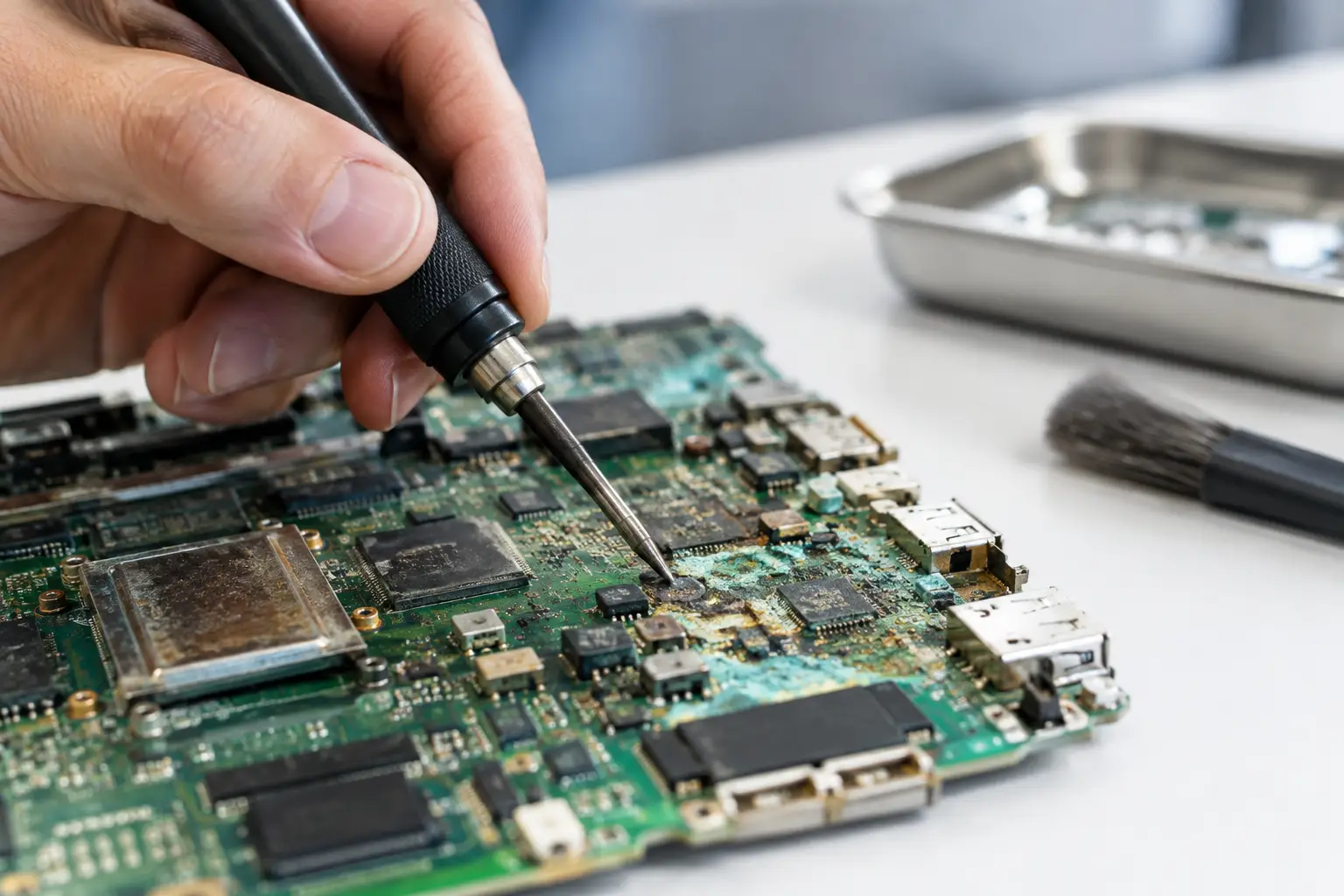
A phone that charges only at a certain angle, a laptop that turns on with no display, or a game console that suddenly refuses to boot may have more than a bad port or battery. After liquid exposure, the problem is often corrosion spreading across the board. Corroded motherboard repair is the process of finding that damage, stopping it from getting worse, and restoring the circuits that still can be saved.
The biggest mistake is waiting because the device appears to work. Liquid damage does not always cause an immediate failure. Corrosion can continue underneath connectors, shields, chips, and tiny components for days or weeks. Fast, professional diagnostics give a device the best chance of repair and can be especially valuable when important photos, work files, or game data are still on it.
What Corrosion Does to a Motherboard
A motherboard carries power and data through extremely small copper traces, solder joints, connectors, and integrated circuits. Water, soda, coffee, humidity, sweat, and cleaning chemicals can leave contaminants behind. Those contaminants create electrical paths where there should not be any and begin attacking metal surfaces.
Pure water is less damaging than a sugary drink or saltwater, but no liquid exposure should be ignored. Tap water contains minerals. Sports drinks, soda, coffee, and juice leave conductive residue. Pool water and saltwater are particularly aggressive because they speed up corrosion and can damage multiple areas of the board quickly.
The visible green, white, blue, or black residue around a charging port, battery connector, or flex cable is only part of the story. Damage may be hidden under a charging IC, power-management chip, CPU area, display connector, or protective shield. That is why replacing the visibly damaged part without testing the surrounding circuitry can lead to a repeat failure.
Signs You May Need Corroded Motherboard Repair
Liquid exposure is not always obvious, especially with a used device or one that was exposed to moisture weeks earlier. Common warning signs include random shutdowns, overheating, no power, boot loops, battery drain, failure to charge, missing touch response, distorted audio, cameras that stop working, or a device detected by a computer but unable to start normally.
On laptops and desktops, corrosion may show up as a keyboard that types on its own, a machine that powers on but has no image, USB ports that stop working, or a battery that is no longer recognized. On gaming consoles, it can appear as HDMI problems, no power, USB failures, or a console that turns off shortly after starting.
These symptoms can also come from a failed screen, battery, charging port, or software issue. The difference is diagnosis. A qualified technician checks the board for shorts, damaged power rails, corrosion around components, and abnormal current draw before recommending a repair.
What to Do Right After a Spill
If liquid has just touched your phone, tablet, laptop, console, or other electronics, time matters. Turn the device off if it is still on. Disconnect it from power and remove the battery only if it is designed to be removed safely. Do not plug it in to see whether it still works.
Avoid rice, heat guns, ovens, hair dryers, and compressed air forced into ports. Rice does not remove liquid residue from the motherboard, and heat can push moisture deeper into the device or damage delicate components. Turning on a wet device can create a short that causes far more damage than the liquid alone.
Bring the device in as soon as possible for an evaluation. A quick exterior cleaning is not the same as a board-level inspection. The goal is to open the device, identify affected areas, clean contamination correctly, and test whether power circuits and connected components are functioning as they should.
How a Professional Motherboard Repair Works
A proper liquid-damage repair starts with inspection, not guesswork. The device is disassembled and checked for moisture indicators, residue, damaged connectors, and corrosion around critical circuits. Technicians use magnification because many damaged components are too small to assess accurately with the naked eye.
The board is then cleaned with electronics-safe methods to remove contamination. Depending on the device and the type of exposure, this can involve targeted cleaning, ultrasonic cleaning, or both. Cleaning is necessary, but it does not automatically repair parts that have already failed.
After cleaning, the board is tested for shorts and correct voltage on key power rails. If a failed component is found, micro-soldering may be required to replace a charging IC, power-management component, filter, connector, capacitor, diode, or damaged trace. This is specialized work. Modern boards are dense, layered, and built with components that are much smaller than a grain of rice.
Final testing should cover more than whether the device turns on. Depending on the device, that includes charging, battery behavior, display output, touch, cameras, audio, Wi-Fi, Bluetooth, USB, HDMI, storage access, and thermal performance. A board that starts once but fails under normal use is not a completed repair.
Can Every Corroded Board Be Saved?
No. The answer depends on where the corrosion is located, how long it has been present, what liquid caused it, and whether the board was powered after exposure. A corroded charging circuit can sometimes be repaired at a reasonable cost. Severe damage under a CPU, memory chip, or multilayer board section may be less practical.
Repair is often worth considering when the device is newer, expensive to replace, contains data that is not backed up, or has a problem limited to one circuit. For a laptop used for work, board repair may cost less than replacing the machine and rebuilding the software environment. For a phone with irreplaceable photos, data recovery may be the priority even if full device repair is not economical.
There are cases where replacement makes more sense. If corrosion has affected several major circuits, the board has structural damage, or the repair cost approaches the value of the device, an honest shop should explain that clearly. The right recommendation is not always the most complicated repair. It is the option that makes financial sense for you.
Why Board-Level Diagnostics Matter
Many repair shops can replace a screen, battery, or charging port. Those services are useful, but liquid damage can require a deeper level of testing. A new port will not solve a charging problem if corrosion has damaged the charging IC or the power line that feeds it.
Board-level diagnostics prevent unnecessary parts replacement and help identify the real cause of failure. This approach is especially important for MacBooks, gaming consoles, high-end phones, tablets, and business laptops where the motherboard carries valuable storage or device-specific functions.
At EPElectrocenter, motherboard and liquid-damage work is performed in-store. Walk-ins are welcome, and a free initial evaluation gives you a clear starting point before approving repair work. You should know what is damaged, what can realistically be repaired, and what the expected cost will be before moving forward.
Protecting a Device After Repair
A successful repair stops the current problem, but preventing another incident matters just as much. Use a case that keeps the phone off wet surfaces, keep drinks away from laptops and consoles, and avoid charging devices in humid or damp areas. If a charging port has been exposed to moisture, let it dry fully and have it inspected if charging becomes unreliable.
Backups are also part of device protection. Corrosion can progress without warning, so saved photos, documents, customer records, and game saves should not exist in only one place. A working device can still develop a delayed failure after an old liquid exposure.
If your device has been wet, has unexplained charging or power problems, or shows visible residue in a port, do not wait for a complete shutdown. Bring it in while the repair may still be straightforward and while your data still has the best chance of being recovered.