
Can Liquid-Damaged Phones Recover? What Decides
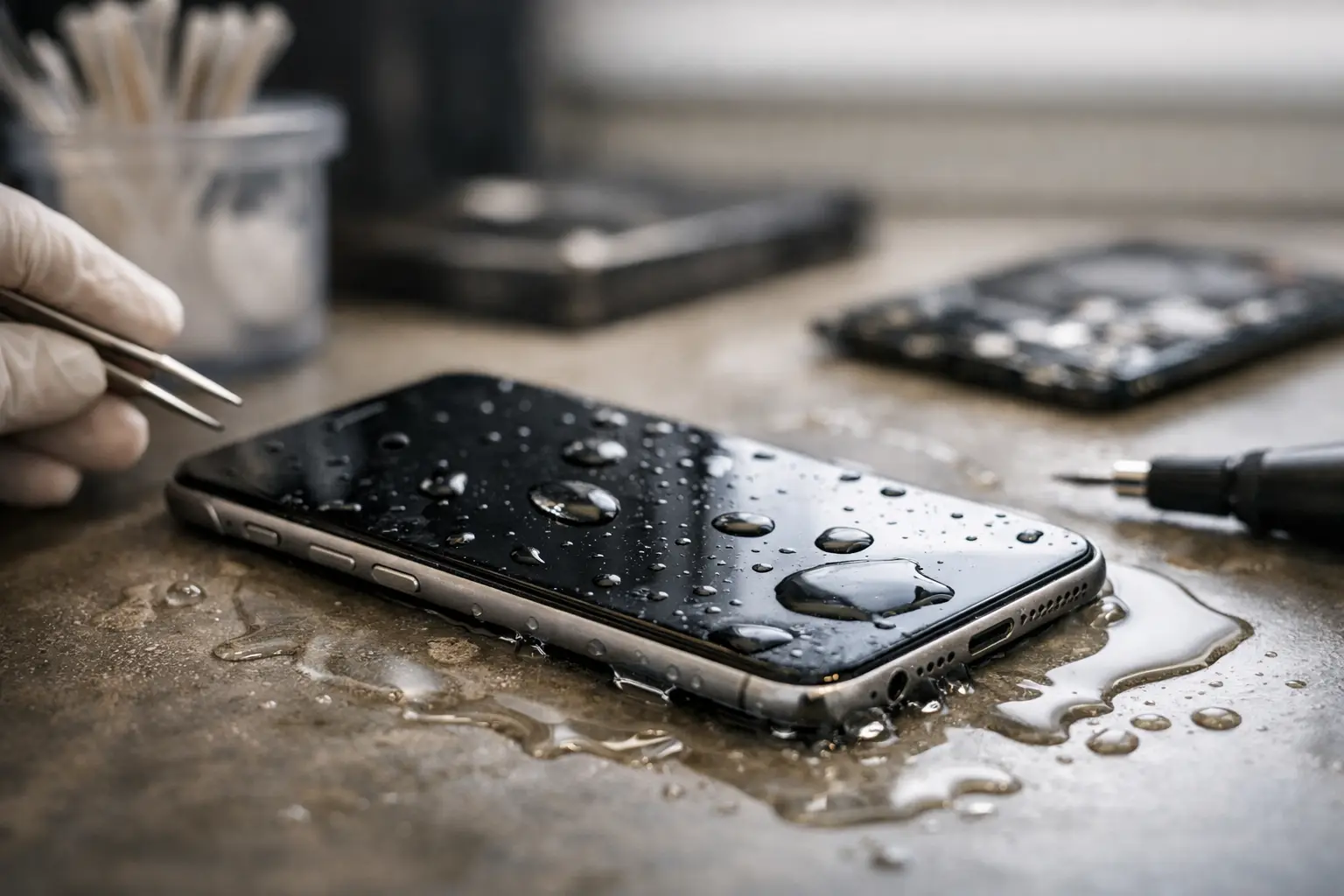
A phone dropped into a sink, splashed by a drink, or left in a damp pocket can look fine for a few minutes and then fail without warning. Can liquid damaged phones recover? Often, yes - but recovery depends less on luck than on what liquid entered the device, how quickly power was removed, and whether corrosion has reached the board.
The biggest mistake is treating a wet phone like a problem that can wait. Liquid damage changes over time. Even after the outside feels dry, moisture and residue can remain under shields, connectors, cameras, charging ports, and integrated circuits. A device that turns back on after a spill may still develop charging problems, random restarts, screen issues, or complete failure days later.
Can Liquid-Damaged Phones Recover After a Spill?
A phone can recover when the liquid exposure is limited, the device is powered down quickly, and corrosion has not caused permanent damage to critical components. Clean water usually gives a device better odds than saltwater, soda, coffee, pool water, or any drink with sugar, minerals, or acids. Those liquids leave conductive residue behind, which continues to damage connections after the moisture itself has evaporated.
The device model also matters. Modern phones have water-resistance ratings, but those ratings are not permanent guarantees. Seals weaken with age, drops, heat, past repairs, and normal wear. Water resistance can slow down an accident, but it does not mean a phone is safe to charge or use after liquid exposure.
Recovery can mean different things. In a best-case repair, the phone returns to normal operation after professional cleaning and testing. In other cases, the phone may need a charging port, screen, battery, camera, speaker, or motherboard-level repair. Sometimes the phone itself is not economical to restore, but data recovery is still possible. The right answer comes from diagnostics, not from how the phone looks on the outside.
What to Do in the First 10 Minutes
Your first actions can make a real difference. If the phone is still on, turn it off immediately. Do not test the touchscreen, play audio, connect a charger, or keep trying to restart it. Electricity moving through a wet circuit board can create shorts and burn damaged components.
Remove the case, disconnect accessories, and take out the SIM tray if the model allows it. Gently blot the exterior with a clean, lint-free cloth. Keep the charging port facing downward so liquid can drain rather than move deeper into the phone.
Then bring the device in for evaluation as soon as possible. Fast action is especially important if the phone contains work files, family photos, authentication apps, or information that has not been backed up. At EPElectrocenter, liquid-damage diagnostics and board-level work are performed in-store, so the device can be assessed for corrosion, shorts, and data-recovery options without sending it elsewhere.
Do Not Use Rice, Heat, or a Charger
Rice is one of the most common responses to a wet phone, and it is not a reliable repair method. It cannot remove mineral residue or corrosion from inside the device. Rice dust can also enter the charging port and speakers, creating another problem.
Avoid hair dryers, ovens, direct sunlight, and space heaters. Heat can warp screens, weaken adhesives, damage batteries, and push moisture farther into sensitive areas. Do not shake the phone aggressively either. That can spread liquid across sections of the board that were not originally affected.
Most importantly, do not plug the phone in to see whether it charges. A wet charging port can trigger a warning on some phones, but not all devices detect moisture accurately. If the phone will not turn on after an accident, charging it before inspection can turn a repairable issue into a more serious board failure.
Why Some Phones Fail Days After Getting Wet
Liquid damage is not always immediate. Water can bridge electrical contacts at the moment of exposure, but residue starts a slower process as well. Minerals and contaminants corrode metal pads, connector pins, and solder joints. A phone may work after drying because the moisture is gone, only to fail later when corrosion breaks a connection or creates an intermittent short.
This is why a device that seems recovered should still be checked if it was exposed to anything other than a very small amount of clean water. Warning signs include a phone that gets unusually warm, drains battery quickly, loses cellular service, has a dim or flickering screen, will not recognize a charger, or shows a camera lens that is foggy from the inside.
Face ID, fingerprint readers, front cameras, and charging circuits are common trouble areas because they rely on small, tightly packed components and delicate connectors. On many newer devices, replacing a part alone may not address the original issue if corrosion remains on the board.
Professional Cleaning vs. Board-Level Repair
A proper liquid-damage evaluation starts with opening the device and inspecting the internal components. A technician checks liquid indicators, connectors, battery condition, charging circuitry, display connections, and visible corrosion. The board may require careful cleaning before it can be tested accurately.
If the phone still has no power or has a short, the next step may involve board-level diagnostics. This is more advanced than replacing an external part. A technician may trace power rails, locate a shorted capacitor, test charging circuits, repair damaged pads or traces, or replace a failed integrated circuit through micro-soldering.
Not every liquid-damaged phone is worth repairing. Severe corrosion, damage under processor or memory components, or a failed logic board with encrypted data can make the repair complex. A trustworthy shop should explain the condition of the device, the likely repair path, the cost considerations, and whether data recovery is a realistic goal before moving forward.
Your Data May Still Be Recoverable
If your main concern is photos, messages, notes, business documents, or app data, say so at the start. Data recovery has different priorities than a standard repair. The goal may be to stabilize the original board long enough to boot the device, unlock it, and make a backup rather than restore every feature for daily use.
This matters because many current phones encrypt data to the original motherboard. Moving storage chips to another device usually does not make the data accessible. In many cases, the original board must be repaired enough to power on and communicate normally.
Do not factory reset a liquid-damaged phone if you need its files. Do not accept software updates or repeated restore attempts either. Those steps may not fix a hardware problem and can make data-recovery decisions more difficult.
When Replacement Makes More Sense
Replacement can be the better option when repair costs approach the value of the phone, corrosion is widespread, or the device has multiple failures after exposure. An older phone with a damaged screen, battery, cameras, and motherboard may not be a practical daily-driver repair.
Still, replacement and recovery are not always the same decision. You may choose to replace the phone while authorizing diagnostics to retrieve important data from the damaged one. For business owners, that can be far less disruptive than losing customer contacts, job photos, files, or authentication access.
Get a Straight Answer Before the Damage Spreads
A wet phone is not automatically a lost phone, but waiting usually lowers the odds. Shut it down, do not charge it, skip the rice, and get it inspected while the damage is still limited. Walk-ins are welcome, and a free initial evaluation can help you decide whether repair, board work, data recovery, or replacement is the sensible next step.