
Motherboard Short Diagnosis: What It Takes
A device that will not power on is not automatically dead. In many cases, motherboard short diagnosis identifies a single failed component or power rail that is pulling voltage down before the device can start. That distinction matters when your phone, laptop, game console, or desktop holds important data or would cost far more to replace than to repair.
A short on a motherboard is one of the more technical failures an electronics repair shop can handle. It cannot be diagnosed accurately by swapping parts at random or plugging in a new battery and hoping for the best. The process requires proper testing equipment, board-level experience, and a methodical approach to isolate the fault without creating additional damage.
What a motherboard short actually means
A motherboard contains many circuits that receive, regulate, and distribute power. A short circuit happens when electricity takes an unintended path, often because a component has failed internally, liquid corrosion has bridged two points, or a damaged capacitor is pulling a power line directly to ground.
When that happens, the device may refuse to turn on, draw too much power, heat up rapidly, restart repeatedly, or fail to charge. On some devices, the symptoms can look like a bad battery, bad charging port, damaged screen, or software problem. That is why replacing the obvious part first is not always the right move.
The location of the short also affects the repair decision. A short on a non-critical power rail may be repairable with one component replacement. Damage around a processor, memory circuit, or layered board connection can be more involved. Honest diagnostics means explaining that difference before repair work starts.
Common signs that point to a board-level short
A motherboard short does not always produce smoke or a visible burned spot. Many faults are small enough to be invisible without magnification, thermal testing, and electrical measurements. Still, certain symptoms are strong warning signs.
A phone or tablet may show no charging symbol even with a known-good cable and charger. A laptop may turn on for a few seconds, then shut down. A gaming console may beep, flash a light, and immediately power off. A desktop computer may have fans that twitch but never fully start. Excessive heat near a charging IC, USB area, processor section, or power connector is another common clue.
Liquid damage is a major cause, especially when a device works briefly after exposure and fails days later. Moisture can leave corrosion under shields and chips long after the outside appears dry. Power surge damage, worn charging accessories, dropped devices, and failed capacitors can also create a short.
How motherboard short diagnosis is performed
Proper diagnosis starts with the basics, because basic failures should not be mistaken for board damage. A technician checks the charger, cable, battery condition, charging port, external connectors, and visible signs of impact or liquid exposure. If those parts test normally, the work moves to the motherboard.
Visual inspection and power measurements
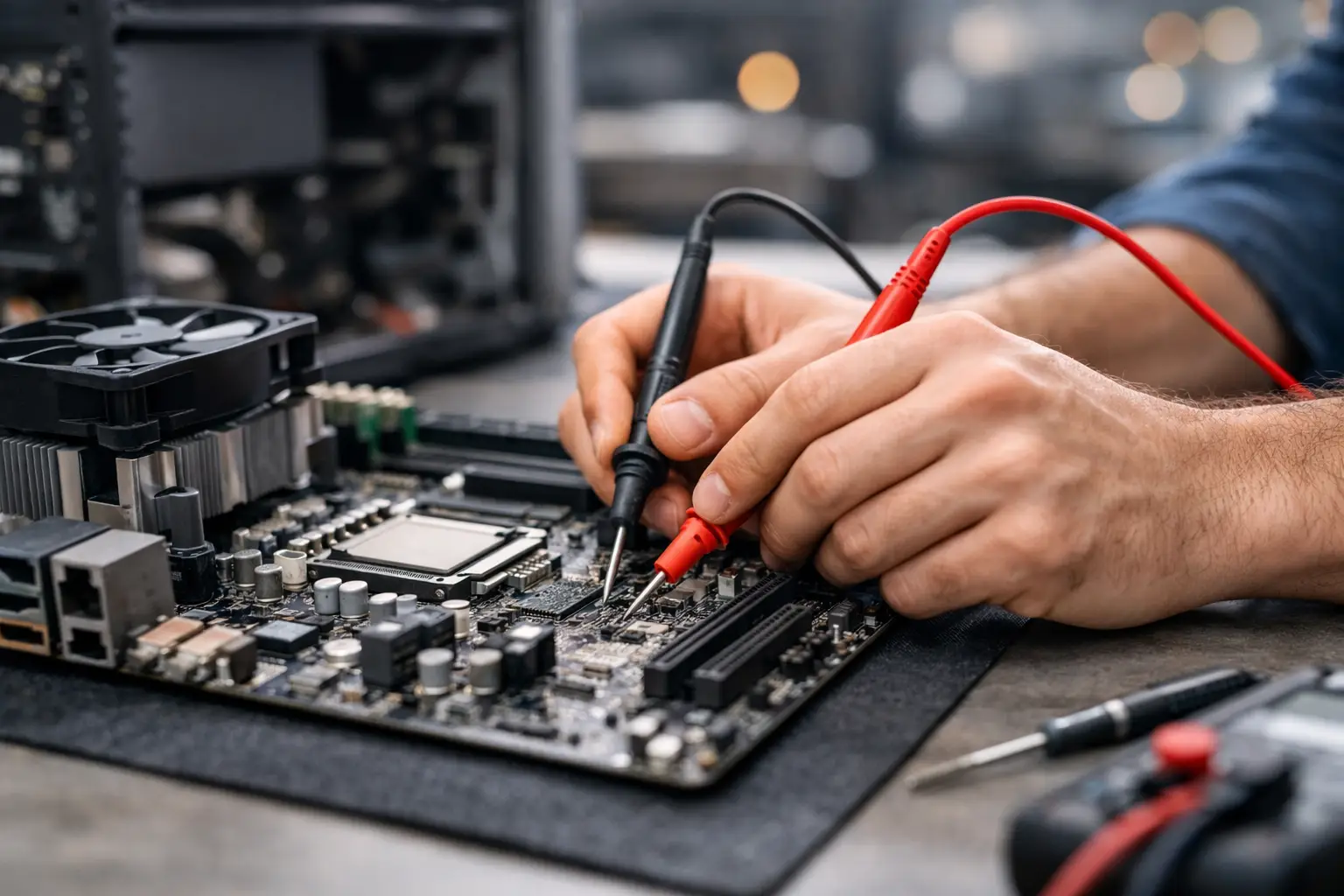
The board is inspected under magnification for corrosion, cracked components, missing filters, damaged connectors, and burn marks. A technician then measures resistance and diode values on key power rails. Readings that are unusually low can indicate that a rail is shorted to ground.
A DC power supply is especially useful for devices that do not power on. It shows how much current the board draws and whether that behavior changes when the power button is pressed. For example, immediate high current draw can point toward a short, while no draw at all may suggest an open circuit, bad power button line, or missing input voltage instead.
Finding the heat source
Once a shorted rail is confirmed, controlled voltage may be injected into that circuit. The failed component often produces heat first. Technicians can locate it using thermal cameras, freeze spray, alcohol evaporation, or other safe board-level techniques.
This is where experience matters. A component that gets hot is not always the original cause of the failure. It may be downstream from a different fault, and applying the wrong voltage can damage sensitive circuits. The goal is not simply to find something warm. It is to understand what that component does, what rail it belongs to, and whether replacing it will restore normal power behavior.
Repairing and retesting the board
After the fault is isolated, the damaged part may be replaced through micro-soldering. Depending on the board, that might mean a capacitor, diode, charging IC, USB controller, power management chip, fuse, or connector. Corrosion may also need to be cleaned and repaired around affected pads or traces.
The repair is then tested beyond the original symptom. A device should charge correctly, power on reliably, maintain normal current draw, and function under normal use. On laptops and desktops, that can include checking USB ports, display output, battery charging, and startup stability. On consoles, it may include HDMI output, controller pairing, and game loading.
Why a no-power device needs more than a quick guess
No-power repairs are easy to misdiagnose because the same symptom can have several causes. A laptop that will not start may have a failed charger, DC jack, battery, keyboard power button, BIOS issue, display fault, or motherboard short. A phone that appears dead could actually have a failed screen while the board is still running.
Guessing can get expensive fast. Replacing a battery, screen, charging port, or power supply without confirming the fault can add cost without fixing the device. In some cases, repeated attempts to charge or power on a liquid-damaged device can make corrosion and electrical damage worse.
A free initial evaluation is useful because it gives you a clearer direction before you approve a repair. If the issue is simple, it should be treated as simple. If it requires board-level work, you deserve to know why and what the realistic repair path looks like.
When board repair makes sense
Motherboard repair is often worth considering when the device is otherwise in good condition, replacement is expensive, or the data on it is important. This is common with newer MacBooks, gaming laptops, flagship phones, tablets, consoles, and business computers configured with critical files or software.
It may be less practical when the device is already outdated, has multiple major problems, or suffered extensive liquid damage across several sections of the board. The best option depends on the device's value, the extent of damage, parts availability, and whether data recovery is a priority.
For small businesses, the decision also includes downtime. Repairing a work laptop or desktop can be more cost-effective than replacing it and rebuilding user accounts, programs, settings, and stored files. A clear diagnosis helps avoid making that decision based only on a device that happens to be unresponsive.
What to do before bringing in a device
If you suspect a short, stop repeatedly trying different chargers or forcing the device to power on. If it was exposed to liquid, disconnect power as soon as possible and do not use heat to dry it out. Heat can move moisture deeper into the device and accelerate corrosion.
Bring the correct charger if you have it, particularly for laptops and consoles. Let the technician know whether the device was dropped, exposed to liquid, connected to a damaged cable, or began overheating before it failed. Those details can shorten the diagnostic process.
At EPElectrocenter, board-level diagnostics and micro-soldering work are performed in-store, so walk-in customers can get a straightforward evaluation without being sent through a chain of third parties. The goal is simple: identify the actual failure, explain the available options, and repair what makes financial sense.
A dead device is frustrating, but it is not a diagnosis. Get the fault checked before replacing an essential phone, computer, or console - the right board-level test may reveal a repairable problem hiding behind a no-power symptom.