
Console Repair in El Paso: Fix or Replace?
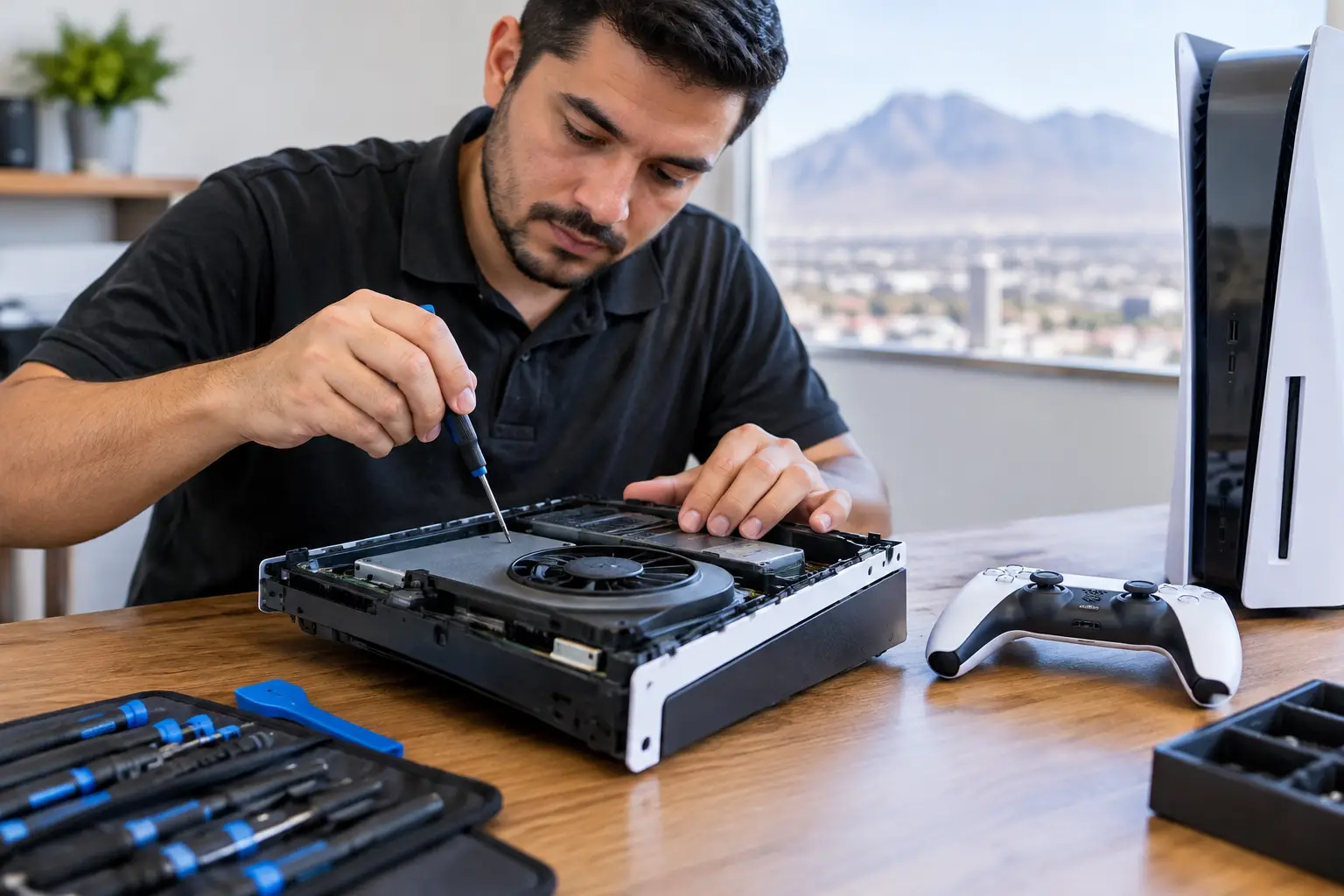
A console that will not turn on, show a picture, read a game, or hold a charge can ruin more than a weekend. The right console repair starts by identifying the actual fault, not guessing at the most visible symptom. A black screen might be a damaged HDMI port, but it can also come from a failed HDMI IC, a power issue, or damage elsewhere on the board.
For gamers in El Paso, the goal is simple: get a clear answer, a fair repair option, and a system that works reliably when it leaves the shop. That means testing the console properly before replacing parts, especially when the issue involves power, video output, liquid exposure, or intermittent failures.
When Console Repair Makes More Sense Than Replacement
Replacing a gaming system can be expensive, and the replacement cost is only part of the decision. You may lose saved data, installed games, settings, parental controls, and access to an older model that is no longer easy to find. A repair can be the better value when the problem is isolated to a port, fan, drive, battery, power circuit, or another serviceable component.
It depends on the console’s age, condition, and the type of damage. A simple HDMI port repair on a current-generation PlayStation or Xbox is often far more practical than buying another console. The same is true for a Nintendo Switch with a worn USB-C charging port, joystick drift, a weak battery, or a damaged game card reader.
On the other hand, a system with severe corrosion, extensive board damage, or multiple prior repair attempts may not be the most economical candidate. An honest shop should explain that before charging for work that does not make financial sense. A free initial evaluation gives you room to make that call with real information instead of pressure.
Common Console Problems and What They Can Mean
Many console problems look straightforward from the outside. They are not always straightforward underneath.
No Signal or a Loose HDMI Connection
If the TV says “no signal,” the cable is the first thing to check. Test a known-good HDMI cable and another TV input before assuming the console is at fault. If the cable only works when held at a certain angle, the HDMI port may have bent pins, broken solder joints, or physical damage inside the port.
A port replacement may solve the issue, but not every video problem is a port problem. A console that has experienced a surge, impact, or failed do-it-yourself repair can also have damage to the HDMI circuitry. Board-level diagnostics matter here because replacing the port alone will not fix a failed video IC or damaged trace.
Console Will Not Power On
No-power faults can come from a bad power supply, charging port, battery, power button circuit, shorted component, or failed power rail on the motherboard. The symptoms matter. Does the console show a light, beep once, attempt to boot, or stay completely dead? Each result points the technician in a different direction.
A proper diagnosis involves measuring power behavior and checking for shorts rather than swapping parts until something changes. This is especially valuable for consoles that were exposed to liquid or stopped working after a storm, power fluctuation, or fall.
Overheating, Loud Fans, and Random Shutdowns
A console that sounds like a small vacuum or shuts down after 20 minutes is telling you something. Dust buildup, blocked airflow, degraded thermal material, a failing fan, or heat damage can all contribute. Continuing to play through repeated overheating can make the eventual repair more involved.
Cleaning and thermal service can help when the cooling system is the problem. But random shutdowns can also be power-related, so the repair should match the diagnosis. A quick cleaning is not a cure-all for every console that turns off during a game.
Charging, USB, and Controller Connection Issues
Nintendo Switch charging problems commonly involve the USB-C port, charging circuit, battery, or dock-related damage. A console may show a charging icon but never gain battery percentage, or it may only charge when the cable is positioned just right. Those details help narrow down the fault.
USB ports on PlayStation and Xbox systems can also become loose, damaged, or unreliable. If controllers disconnect, accessories are not recognized, or a port has visible damage, a technician can determine whether the issue is the port itself, the cable, the controller, or the board circuitry behind the port.
Why Board-Level Console Repair Matters
Some repair shops handle basic part swaps but stop when the failure reaches the motherboard. That can leave customers with a console labeled “unrepairable” when the issue is actually a damaged chip, corroded component, shorted capacitor, or failed power circuit.
Board-level work requires the right equipment and experience. Micro-soldering, short finding, IC replacement, and power rail diagnostics are precise jobs. They are not the same as replacing an external shell or installing a new fan. The board must be tested before and after the repair to confirm the original fault is resolved.
This capability is particularly useful for liquid-damaged consoles. Liquid can create corrosion that continues spreading after the system dries out. Turning it on repeatedly may cause further damage. If a console gets wet, disconnect power, avoid charging it, and bring it in for an evaluation as soon as possible. Do not rely on rice or a few days of air drying to address corrosion inside the device.
What to Do Before Bringing in Your Console
You do not need to take the console apart before service. In fact, opening it without the correct tools can strip screws, tear cables, damage shielding, or turn a repairable issue into a larger one.
Bring the console, its power cable, and the accessory involved in the problem when practical. For an HDMI issue, bring the HDMI cable if you suspect it may be part of the problem. For charging trouble, bring the charger or dock. A short description of when the issue started is also helpful: after a drop, after a software update, after liquid exposure, or gradually over time.
If the system still turns on, back up save data when possible. If it will not boot or display video, let the technician know whether there is important data on the device. Repairing the original console may be the best path when saved games or account access matter.
Choosing a Console Repair Shop in El Paso
Look for a shop that explains what it found, not just what it wants to replace. You should know whether the quote covers a confirmed issue or an initial attempt based on symptoms. Ask whether the repair is performed in-store and whether the shop handles motherboard-level faults rather than sending the device elsewhere.
Turnaround time matters, but accuracy matters more. A fast repair that overlooks the root cause can send you home with the same problem a week later. EPElectrocenter performs services in-store and welcomes walk-ins for a free initial evaluation, so you can get a straightforward assessment before deciding how to proceed.
A good repair decision is not about saving every console at any cost. It is about knowing what failed, what it will take to correct it, and whether the repair gives your system a dependable second life. Bring in the console, explain the symptoms, and get an answer based on testing instead of guesswork.