
A MacBook Liquid Damage Recovery Example That Worked
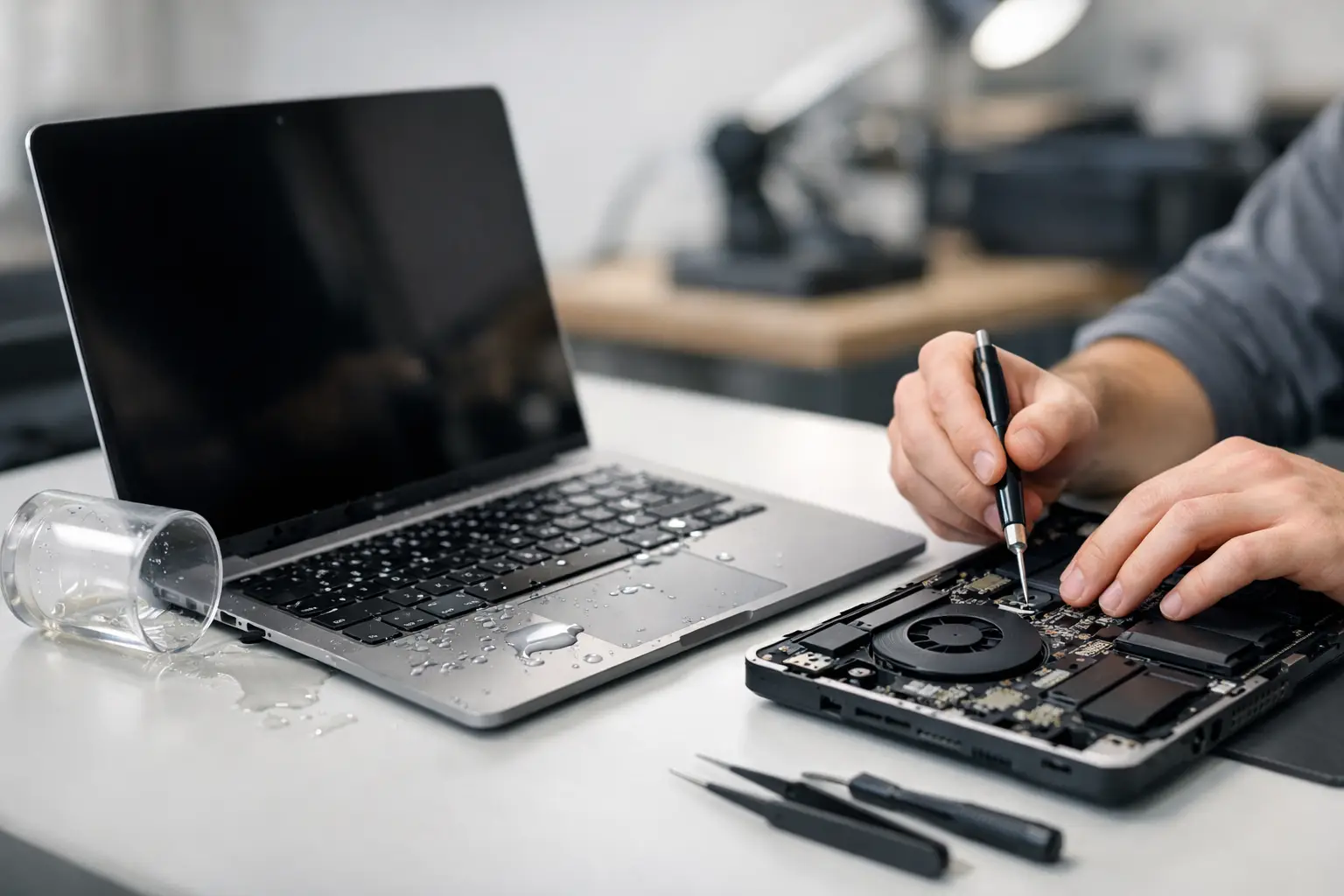
Coffee reached the keyboard of a MacBook Air shortly before a customer needed it for work the next morning. This MacBook liquid damage recovery example shows why the first few minutes matter, why a laptop can appear fine before failing, and what a real in-store assessment should look like. The goal is not to make a wet MacBook turn on at any cost. The goal is to stop corrosion, protect recoverable data, and determine whether a practical repair is possible.
The spill: a MacBook that still powered on
The customer brought in a 2020 MacBook Air after a coffee spill near the left side of the keyboard. They had wiped off the outside, then powered the laptop on to check it. At first, the screen came up and the trackpad clicked. A few keys did not respond, the fan ran harder than normal, and the battery percentage was stuck.
That behavior is common after liquid exposure. A MacBook may boot even when moisture remains under the keyboard, near the battery connector, or on the logic board. Electricity moving through contaminated liquid can create shorts. Minerals, sugar, and acids left behind after the liquid dries can continue corroding small components and board traces over time.
The customer did one thing right: after seeing the strange behavior, they shut the MacBook down and stopped trying to charge it. Repeated power attempts are one of the biggest reasons a limited liquid-damage issue becomes a larger board-level failure.
What happened during the initial evaluation
At EPElectrocenter, the first step for a liquid-damaged MacBook is an in-store evaluation, not a promise that it only needs a keyboard. All services are performed in-store, which matters when the problem may involve more than an easily swapped part.
The MacBook was opened and the internal battery was disconnected before deeper testing. The technician found residue around the keyboard area and signs that liquid had reached the logic board. There was no reason to trust the initial boot. The device needed to be checked without sending power through a potentially damaged circuit.
A proper inspection looks beyond visible moisture. It includes checking for corrosion under shields and connectors, inspecting the USB-C charging area, evaluating power rails, and looking for abnormal resistance or shorted lines. On newer MacBooks, several essential functions are tied closely to the logic board. A keyboard issue, charging problem, no-power condition, trackpad failure, or missing data can all trace back to the same exposure.
The good news in this case was that the corrosion was localized. The bad news was that it had already affected a small area near a power-management circuit. The laptop might have continued working for a day or two, then failed to charge or stopped powering on entirely.
Why rice and waiting would not have solved this
Customers often ask whether they can leave a MacBook in rice, use a hair dryer, or wait several days before turning it back on. Those methods do not remove conductive residue from inside the computer. Rice does not clean corrosion, and heat from a hair dryer can push moisture farther into connectors or damage sensitive components.
Time can help surface moisture evaporate, but drying alone is not repair. Coffee, soda, beer, and tap water are especially problematic because they leave contaminants behind. Even distilled water can cause trouble if power was present during the spill or if corrosion begins before cleaning.
If a spill happens, shut the MacBook down immediately. Disconnect the charger and any accessories. Do not keep testing it, do not charge it, and do not press keys to see what still works. Bring it in for a free initial evaluation as soon as possible. A quick response does not guarantee recovery, but it improves the odds.
The repair decision: clean, repair, or replace?
This MacBook did not need a full logic-board replacement. That was an important finding because replacement can be expensive and, depending on the model, may complicate data recovery. Instead, the repair plan focused on cleaning corrosion and repairing the affected board-level area.
The technician cleaned the contaminated section using proper electronics-safe processes, inspected the board under magnification, and tested the affected circuit. A damaged component in the power-management area was replaced through micro-soldering. The keyboard assembly also showed evidence of liquid exposure, but the customer had a decision to make.
The keyboard had a few inconsistent keys, yet the MacBook became stable after the board repair. Replacing the keyboard assembly would provide the best long-term result, but it would add cost. Because the customer needed the laptop urgently and could use an external keyboard temporarily, they chose to complete the logic-board repair first and monitor the keyboard.
That is the honest trade-off with liquid damage. A technician should explain what is confirmed, what is likely to fail later, and which repairs are urgent versus optional. The lowest price is not always the best value, but replacing every potentially affected part is not always necessary either.
Data recovery was part of the plan
Before extended testing, the customer’s work files were the priority. On many MacBooks, storage is integrated with the logic board, so data recovery can depend on getting the original board working long enough to access the files. Simply moving a drive to another computer is often not an option.
In this case, the MacBook reached a stable boot state after the board work. The customer was able to verify that their documents, photos, and desktop files were present. A backup was created before additional stress testing. That sequence reduced risk: secure the information first, then continue confirming the repair.
Not every liquid-damaged MacBook will allow that outcome. If the storage-related circuits, processor, or encryption hardware are severely damaged, recovery may be limited or impossible. That is why avoiding repeated power-on attempts is so valuable. Every attempt can worsen a short or damage a component that is critical to access the customer’s data.
Testing after the MacBook liquid damage recovery repair
A MacBook is not ready to return just because it turns on. The repaired Air was tested for charging, battery detection, USB-C port function, Wi-Fi, speakers, microphone, camera, keyboard response, trackpad operation, sleep and wake behavior, and thermal performance. It was also allowed to run under normal use conditions to make sure the repair was stable.
The charging issue was resolved, the battery percentage updated normally, and the fan behavior returned to normal. Most keyboard keys worked consistently after cleaning, but two keys remained intermittent. The customer was told clearly that the keyboard could worsen later because liquid had entered that area. They left with a working MacBook, confirmed data, and a clear understanding of the remaining risk.
That is a successful recovery, not because every part became brand new, but because the serious electrical fault was addressed, the customer’s files were protected, and the repair decision matched their budget and immediate needs.
When a liquid-damaged MacBook may not be worth repairing
Some cases are beyond a sensible repair. Extensive corrosion across multiple board areas, damage after a long period of continued use, a destroyed display and logic board, or a repair estimate close to the cost of a comparable replacement can change the answer. Age and model matter too. Putting major money into an older MacBook may not make sense unless the data is critical or the device still meets the owner’s needs.
Even then, diagnostics are worthwhile. A no-power MacBook may still have recoverable data, and a device that looks severely damaged may have one localized fault. Board-level diagnostics replace guesswork with a clear path forward.
If liquid reaches your MacBook, treat it as an electrical problem, not a drying problem. Shut it down, leave it unplugged, and bring it in quickly for an honest evaluation. Walk-ins are welcome, and getting a professional answer early can be the difference between a targeted repair and a much more expensive loss.