
Laptop Motherboard Repair Guide for Real Faults
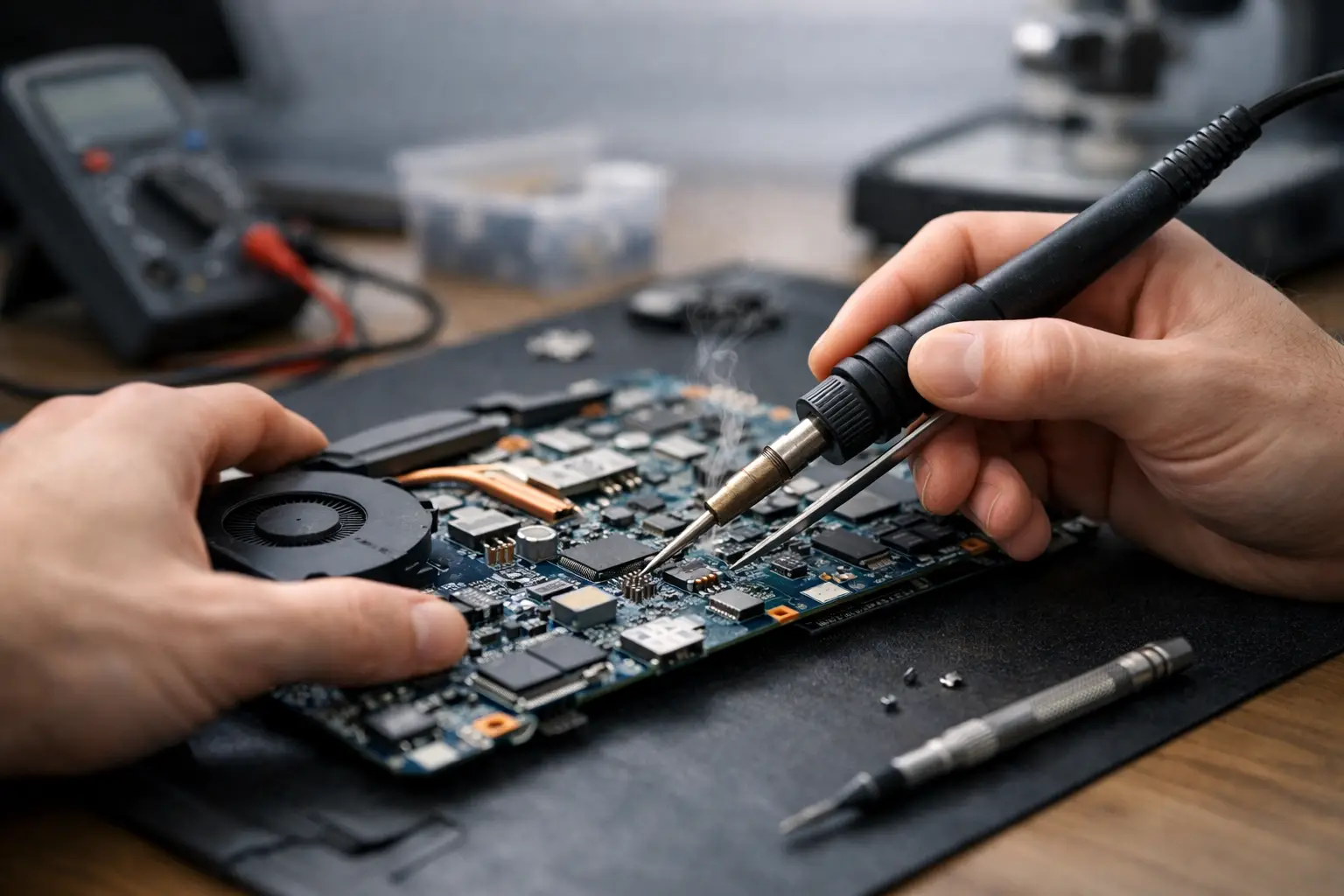
A laptop that will not charge, shows no image, shuts down without warning, or acts completely dead does not automatically need a new motherboard. This laptop motherboard repair guide explains what those symptoms can mean, what you can safely check, and when board-level diagnostics are the smarter move than replacing the whole computer.
Motherboard problems are different from routine laptop repairs. A worn battery, broken screen, bad keyboard, or failed storage drive can often be identified by replacing one part. The motherboard controls power, charging, display output, USB functions, memory communication, and many other systems at once. A fault in one tiny component can make the entire laptop appear unusable.
Start With the Symptoms, Not the Diagnosis
Customers often arrive convinced the motherboard is bad because their laptop will not turn on. Sometimes they are right. Just as often, the problem is a charger, DC jack, battery, damaged RAM, failed display, or corrupted operating system. Good repair starts by ruling out the common causes before approving expensive work.
A true board fault is more likely when the laptop has no charging light with a known-good charger, powers on but has no image on either the internal or external display, gets hot in one area while off, or repeatedly turns on and immediately dies. Liquid exposure, a power surge, a broken USB port, and a damaged charging connector can also cause motherboard-level damage.
Pay attention to what happened right before the failure. Did the laptop stop working after a spill? Did it die while connected to a cheap replacement charger? Did the charging port become loose before it stopped receiving power? That history helps a technician narrow the search much faster.
Safe Checks Before Opening the Laptop
Before taking anything apart, test the basics. Confirm that the wall outlet works, inspect the charger cable for exposed wiring or severe bends, and make sure the charging connector fits firmly. If your laptop uses USB-C charging, try a charger that provides enough wattage for that model. A phone charger may light up a low-battery indicator but may not supply enough power to boot the laptop.
Disconnect all accessories, including USB drives, docks, external monitors, and game controllers. A shorted peripheral or damaged port can prevent startup. If the battery is removable, disconnect it and try powering on with the correct AC adapter. For models with an internal battery, a hard reset may help: unplug power, hold the power button for 20 to 30 seconds, then reconnect the charger and try again.
Do not keep forcing the laptop to start if you smell burning, hear crackling, see smoke, or notice severe heat around the charging area. Unplug it immediately. Repeated power attempts can turn a repairable short into wider damage.
What Motherboard-Level Repair Actually Means
Motherboard repair is not simply swapping the board for another used part. Board-level work means locating a failed circuit, verifying the cause, and replacing or repairing the affected component when practical. This may involve micro-soldering, short finding, power rail testing, charging circuit repair, IC replacement, connector repair, or corrosion cleanup after liquid damage.
Technicians use a bench power supply, multimeter, thermal camera or thermal methods, microscope, and board schematics or boardview files when available. The process follows the laptop's power sequence. First, the technician checks whether the main voltage is reaching the board. Then they verify standby rails, charging circuits, power button response, CPU and memory enable signals, and display-related outputs.
This is why a motherboard repair cannot always be priced from a symptom alone. “No power” can be a simple fuse, a failed charging IC, a shorted capacitor, or damage beneath a processor. The symptom looks the same from the outside, but the repair time and parts cost can be very different.
Common faults that may be repairable
Many laptop board problems are repairable when damage is limited and replacement parts are available. Charging failures can come from a damaged DC-in circuit, USB-C power delivery controller, fuse, or charging IC. No-display problems may involve a blown backlight circuit, a damaged display connector, or a failed graphics power rail.
Liquid damage depends heavily on timing. If the laptop was shut down quickly and has limited corrosion, cleanup and component replacement may save it. If power remained connected after the spill, corrosion and short circuits can spread across multiple layers of the board. There is no honest way to promise a result until the board is inspected.
Damaged USB, HDMI, and charging ports are also common. A port can be physically broken while the motherboard itself remains healthy. In other cases, a bent pin or electrical short damages the surrounding circuit. The right repair depends on whether only the connector needs replacement or the power and data lines have been affected too.
When Repair Makes Sense and When It Does Not
The best decision is not always “repair it.” It depends on the laptop's age, performance, condition, replacement cost, and the value of the files stored on it. A recent business laptop, gaming laptop, MacBook, or high-spec workstation can be a strong candidate for board repair because replacing it may cost far more than fixing a charging or power fault.
Repair may be less practical for an older entry-level laptop with multiple problems, severe corrosion, a cracked screen, weak battery, and outdated hardware. Even then, diagnosis can still be worthwhile if important family photos, work documents, accounting records, or other files are trapped on the drive.
Ask for a clear repair path before authorizing work. A reliable shop should explain the known symptom, what testing is needed, whether the issue appears repairable, and what happens if further damage is found. The lowest quote is not always the best value if it skips diagnosis, installs poor-quality parts, or replaces a board without addressing what caused the failure.
Protect Your Data Before and During Repair
A motherboard fault does not necessarily mean lost data. In many laptops, files remain intact on the SSD or hard drive even when the board will not start. However, newer models may use soldered storage, encryption, or security chips tied to the original motherboard. In those cases, getting the original board working can be the only practical path to recovering the data.
If the laptop can still boot intermittently, back up critical files immediately. Do not wait for the problem to become permanent. Copy work files, photos, browser exports, accounting data, and recovery keys to a separate drive or secure cloud account.
If the computer is dead, avoid reinstalling the operating system or formatting the drive as a first response. That does not repair a power fault, and it can make data recovery harder. Tell the repair technician if data is a priority before any work begins.
Why Professional Diagnostics Matter
Opening a laptop without the right tools can create new problems. Internal batteries can short against a misplaced screw. Fragile display cables and keyboard connectors can tear. USB-C circuits, power management chips, and densely packed components require precise testing and controlled heat. Replacing parts based on online guesses often wastes money and can make a board harder to repair later.
For El Paso customers, EPElectrocenter performs diagnostics and advanced motherboard-level repairs in-store, including liquid damage evaluation, charging faults, port damage, short finding, and micro-soldering work. Walk-ins are welcome, and a free initial evaluation gives you a starting point before deciding whether repair is worth approving.
Bring the correct charger with the laptop if possible, and describe the failure exactly as you experienced it. Details such as “it worked only at a certain charger angle” or “it shut off after a spill” are useful evidence. A careful diagnosis can turn a laptop that looks finished into a repair that protects both your budget and your files.