
Xbox Series X HDMI Repair: What to Expect
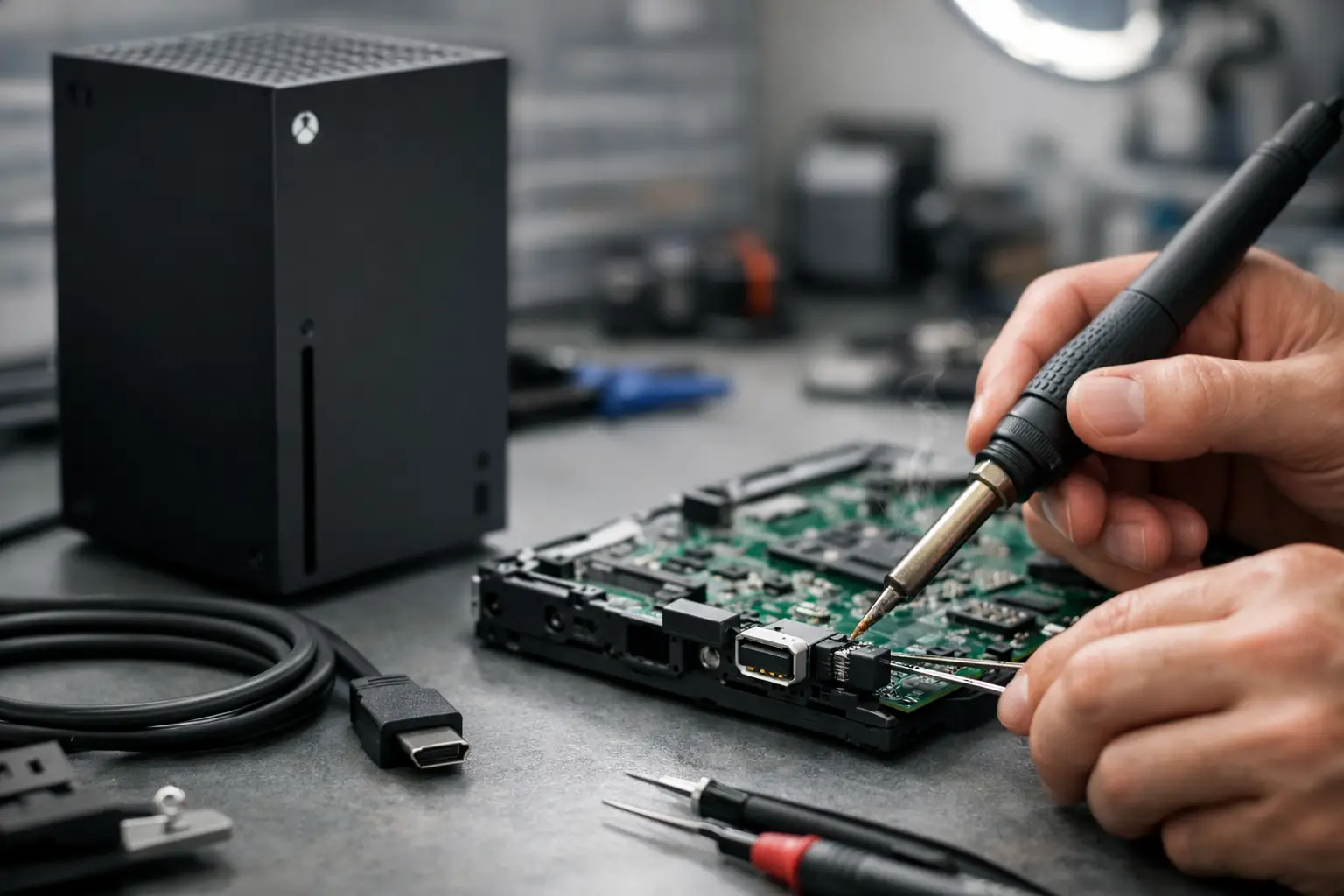
One bad HDMI connection can make an Xbox feel completely dead. If your console powers on but shows no picture, cuts in and out, or only works when the cable is held at a certain angle, Xbox series x hdmi repair is usually the first thing to look at. The tricky part is that not every "no signal" problem is just a damaged port. Sometimes the issue is the connector itself. Sometimes it goes deeper into the board.
That distinction matters because it affects price, turnaround time, and whether the repair actually lasts. A real diagnosis should tell you if the HDMI port is physically broken, if the solder joints have failed, or if there is board-level damage behind the port.
When an Xbox Series X HDMI repair is actually needed
The most common symptom is simple: the console turns on, but the TV says no signal. In many cases, the HDMI port has taken physical damage from a bent cable, a drop, frequent plugging and unplugging, or pressure on the cord while the console is connected.
You may also notice that the image flickers, disappears randomly, or comes back only after wiggling the cable. That usually points to worn internal pins, a cracked port housing, or broken solder connections where the port meets the board.
There are also cases where the port looks fine from the outside, but the system still has no display. On the Xbox Series X, that can mean the damage is under the port or farther down the HDMI circuit. A shop that only swaps parts without testing the board can miss that and waste your time.
What usually causes HDMI port failure
Most Xbox HDMI failures are mechanical, not mysterious. The port sits in a high-stress area of the console, and it does not take much force to damage it. One tug from a tight entertainment setup or one accidental trip over the cable can bend pins or crack the connection points.
Heat can also make the problem worse over time. If a port already has a weak solder joint, repeated heating and cooling during normal use can turn an intermittent issue into a full no-signal failure.
Another factor is cable fit. Cheap or overly tight HDMI cables can put extra pressure on the port. The console may work for a while, but every insert and removal adds wear. That is why some customers think the cable is the problem at first, then realize the same issue happens with multiple TVs and multiple cables.
Signs the problem may be deeper than the port
A damaged HDMI port is common, but it is not the only cause of no display. If your Xbox Series X has had a hard drop, power surge, liquid exposure, or prior repair attempt, the issue can involve the HDMI retimer, filters, traces, or other board components.
A few warning signs suggest a more advanced repair may be needed. One is when the port has already been replaced before but the console still does not output video. Another is when the system powers on and seems normal, but there is still no image even with a clean-looking port. In some cases, the console may boot inconsistently, shut down oddly, or show display output for a moment before going black.
This is where board-level diagnostics matter. If the pad under the port is torn, if a signal line is damaged, or if a nearby component failed, a basic port swap will not solve it. A proper in-store evaluation should catch that before the repair starts.
How the repair should be done
A correct HDMI repair on an Xbox Series X is precision work. The old port has to be removed without lifting pads, damaging nearby components, or overheating the board. Then the replacement port has to be aligned exactly and soldered cleanly across both the anchor points and the data pins.
That sounds straightforward, but the quality of the work makes all the difference. A rushed job may restore video for a short time and fail again because the joints were weak or the underlying board damage was never addressed.
A good repair process starts with inspection under magnification. The technician should check for bent pins, cracked anchors, damaged pads, and signs of impact. After that, the board should be tested to confirm whether the failure stops at the port or continues into the HDMI circuit. If board work is needed, that should be explained clearly before moving forward.
For shops with micro-soldering capability, this is an in-house job, not a guess. That matters because Xbox HDMI issues are one of those repairs where experience shows quickly. A clean-looking result is not enough. The output has to be stable, and the board has to remain healthy after the work is complete.
What affects Xbox Series X HDMI repair cost
Cost depends on what is actually damaged. If the issue is limited to a broken port and the board pads are intact, the repair is usually more straightforward. If the console needs trace repair, pad reconstruction, or HDMI circuit diagnostics, the labor and time increase.
Previous repair attempts can also change the price. If another shop overheated the board, used the wrong port, or tore pads during removal, the repair may go from a standard port replacement to a board reconstruction job.
That is why honest pricing starts with evaluation. A flat quote without inspection can sound convenient, but it often leaves out the part where hidden damage gets discovered later. A better approach is simple: inspect first, explain the actual problem, then quote the repair based on the work required.
Can you fix it yourself?
If you search online, you will find videos that make HDMI port replacement look easy. On this console, it usually is not. The port is soldered directly to the board with multiple anchor legs and fine pins, and the surrounding area can be damaged quickly with the wrong tools or too much heat.
For most owners, this is not a safe DIY repair. A basic soldering iron is not enough. You need proper hot air equipment, board handling experience, magnification, good quality replacement parts, and the ability to recognize when the problem is not just the port.
The bigger risk is turning a repairable HDMI job into a more expensive motherboard repair. Lifted pads, torn traces, and melted connectors are common after unsuccessful attempts. If the console still has value to you, it makes more sense to get it checked before trying to force a home fix.
Before you bring the console in
There are a few basic checks worth doing. Try a known-good HDMI cable and a different TV or monitor. Make sure the display input is correct. Check the port with a flashlight and see if the pins look bent, recessed, or uneven. If the image only appears when the cable is held a certain way, that strongly suggests port damage.
Do not keep jamming the cable in if it feels misaligned. That can make the problem worse. Do not continue testing with a loose connection for days, either. Intermittent contact can stress the port and cause more damage at the solder joints.
If the console has already been opened, mention that upfront. If there was a power event, liquid exposure, or accidental drop, mention that too. Those details help narrow down whether this is likely a straightforward HDMI port job or something deeper.
What local customers should expect from a repair shop
For a repair like this, speed matters, but diagnosis matters more. You want a shop that can inspect the HDMI port, test the board, and do the work in-house. Shipping consoles out adds delay and creates a lot of uncertainty around who is actually doing the repair.
You also want clear communication. If the issue is just the port, you should be told that. If it needs motherboard-level work, that should be explained in plain language. No vague upselling, no guessing, and no pressure to replace the console when a proper repair is still on the table.
For El Paso customers, this is the kind of job where a local in-store evaluation helps. EPElectrocenter handles HDMI and board-level repair in-house, with walk-ins welcome and free initial evaluation. That makes a real difference when the goal is to get a gaming console diagnosed quickly and repaired correctly instead of bounced around between shops.
Is HDMI repair worth it on an Xbox Series X?
In many cases, yes. The Xbox Series X is still a high-value console, and HDMI failure is often a repairable hardware issue rather than a reason to replace the system. If the board is otherwise healthy, replacing the port can restore normal use without the cost of buying another console.
Even when the damage extends past the port, repair can still make financial sense depending on the condition of the system and the extent of the board work needed. The key is getting an accurate diagnosis first, because the right answer depends on whether the problem is a damaged connector, a failed HDMI circuit, or a board that has been compromised by previous work.
If your Xbox powers on with no picture, shows intermittent signal, or has a visibly damaged port, the worst move is waiting until the damage spreads. The best move is getting the console checked by a shop that can handle both the port and the board behind it, because that is how you find out what is really broken and what it will take to fix it right.