
HDMI Port Repair El Paso: What to Expect
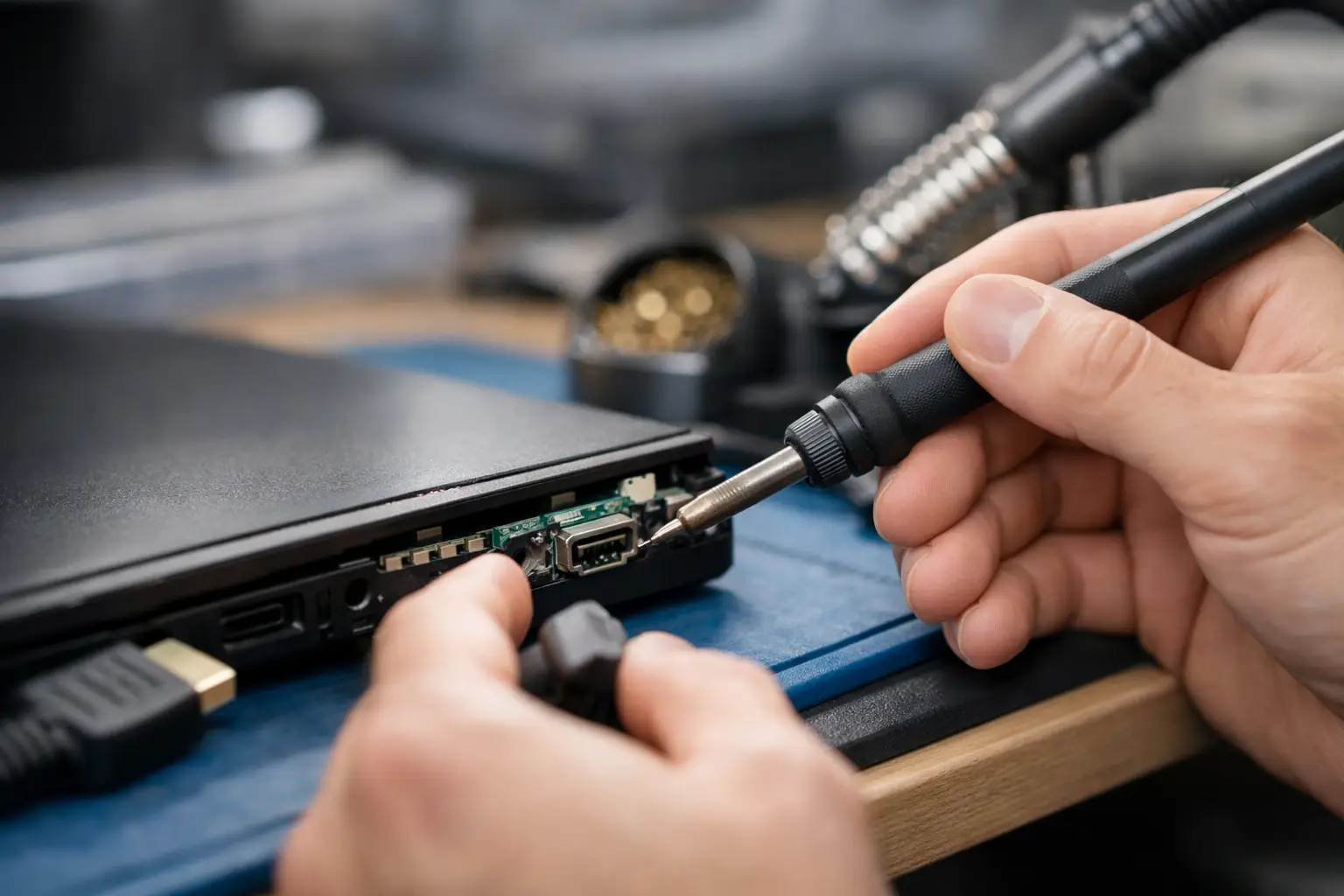
A loose HDMI connection usually starts small. The screen cuts out if the cable shifts, the picture flickers, or your console only works when the plug is held at a certain angle. If you need hdmi port repair El Paso, the main question is not just whether the port is damaged. It is whether the damage stops at the port itself or has already affected the board underneath.
That difference matters more than most people realize. Some HDMI problems are straightforward port replacements. Others involve torn pads, cracked solder joints, bent pins, or board damage from repeated stress. A shop that only swaps parts may not be able to finish the job if the issue goes deeper. A shop that handles board-level repair in-store can usually diagnose the full problem before wasting your time or money.
When an HDMI port actually needs repair
Not every display issue points to the HDMI port. A bad cable, damaged TV input, software glitch, or video chip issue can create similar symptoms. But there are a few signs that strongly suggest the port itself is the problem.
If the cable feels loose, the connector wiggles, or the system stops sending a signal unless you push the cable in a certain direction, that is often physical port damage. Bent inner pins are another common issue, especially on gaming consoles and laptops that get moved around often. In other cases, the outer shell of the port looks fine, but the solder joints underneath have cracked from repeated plugging and unplugging.
This happens a lot with PlayStation and Xbox consoles. It also shows up on laptops used with external monitors, docking setups, and classroom or office presentations. One rough cable pull can do more damage than people expect.
HDMI port repair El Paso for consoles and laptops
For most customers, the real concern is simple: can the device be fixed correctly without being sent off somewhere else? That is a fair question, because HDMI repair is not basic parts swapping. On many devices, the port is soldered directly to the motherboard, and replacing it requires controlled heat, proper tools, and clean pad work.
On consoles, the repair often centers on the port itself, but not always. If the console took a hard hit while the HDMI cable was plugged in, the force can damage nearby filters, traces, or the HDMI encoder circuit. On laptops, the board layout can vary a lot. Some models have more durable mounting points, while others are more likely to suffer board lift or cracked connections after strain.
That is why a free initial evaluation matters. A visual check can catch obvious pin damage, but a complete repair decision should also account for how the board looks under magnification and whether the video path is still intact.
Common devices with HDMI port damage
Gaming consoles are the most frequent case, especially PS5, PS4, Xbox Series X, and Xbox One systems. Laptops are close behind, particularly models used for dual-screen work or connected and disconnected throughout the day. Some desktop motherboards, small form factor PCs, and media devices can also need HDMI work, though the repair path depends on how the port is mounted and whether replacement parts are available.
For students and remote workers in El Paso, laptop HDMI issues can be more disruptive than they sound. If your device depends on an external monitor for school, work, or client presentations, a damaged port is not a minor inconvenience. It affects your whole setup.
Why HDMI repair is not a DIY job
A lot of people look up a quick video and assume HDMI port replacement is manageable with a soldering iron and patience. In reality, this is one of the easier ways to turn a repairable device into a board-level rebuild.
The problem is heat control and precision. HDMI ports have multiple pins and anchor points, and the surrounding board components can be damaged during removal if the process is rushed. Pulling a port before the solder is fully released can tear pads off the motherboard. Once that happens, the repair becomes more complex, and in some cases the cost goes up because trace repair or jumper work is needed.
There is also the issue of misdiagnosis. If the port is replaced but the real fault is a damaged filter, missing pad connection, or failed chip in the display circuit, the device still will not output video. From the customer side, that looks like the repair did not work. From the technical side, it means the diagnosis was incomplete.
What a proper in-store repair process should look like
A good HDMI repair starts with inspection, not assumptions. The device should be checked for visible connector damage, broken pins, board movement, and signs of prior repair attempts. If the port needs replacement, the job should be done with the right soldering equipment and board protection, followed by pad inspection, connector alignment, and output testing.
If the board has additional damage, you want to know that before approving the repair. Honest service means being clear about what is fixable, what may add time, and whether the repair still makes financial sense compared to replacement. Not every device is worth saving, especially if there is severe board damage on an older system. But many are, and customers deserve a straight answer.
At EPElectrocenter, all services are performed in-store, which matters for this kind of work. When HDMI problems involve more than a simple port swap, in-house diagnostics and micro-soldering capability can make the difference between a completed repair and a dead end.
Turnaround and pricing depend on the damage
Customers usually want one fixed number and one exact completion time. That is understandable, but HDMI repair is one of those services where the honest answer is: it depends. A clean port replacement with no board damage is different from a device with lifted pads, trace damage, or previous failed solder work.
Turnaround is often faster when the issue is isolated to the connector. It may take longer if board-level repair is required or if the port damage came from impact that affected nearby components. Pricing follows the same logic. Fair pricing means paying for the actual repair needed, not a flat guess that ignores the condition of the board.
That is also why walk-ins are useful. Getting the device looked at in person usually leads to a quicker and more accurate answer than trying to diagnose the issue by message alone.
How to avoid HDMI port damage after repair
Once the port is repaired, a few habits can help it last. Do not force the cable in at an angle. Avoid leaving a console or laptop where the cable can be bumped or pulled. If your setup is permanent, give the cable enough slack so tension is not constantly pushing on the connector.
For laptops used at desks every day, consider whether your setup puts repeated stress on that side of the machine. For consoles, make sure the unit is not pushed tight against a wall where the cable gets bent sharply. HDMI ports are durable enough for normal use, but they are still physical connectors mounted to a board. Repeated pressure adds up.
Choosing the right shop for HDMI port repair El Paso
If you are comparing repair options, ask a direct question: is the work done in-store, and can the shop handle board-level damage if the port replacement is not enough? That tells you a lot. Some shops can accept the device but not complete the actual micro-soldering work themselves. Others can replace the port only if everything underneath is perfect.
The better option is a repair shop that can evaluate the full problem, explain the trade-offs clearly, and do the work without shipping your device out. That keeps the process faster, more accountable, and easier to track.
For people in El Paso, that local accountability matters. Whether it is a game console that stopped working the weekend you planned to use it, or a laptop that needs monitor output for work on Monday, you want real answers, fair pricing, and repair work done by people you can talk to face to face.
If your HDMI connection is loose, flickering, or completely dead, do not keep forcing the cable and hoping it comes back. The earlier the problem is checked, the better the chance of keeping the repair simple and the device in service.